Selecting the right field service software comparison can make or break your service business operations. With technicians in the field, customers expecting instant updates, and administrative tasks piling up, having robust service management software for small businesses isn’t just convenient—it’s essential.
Today’s field service management solutions have evolved beyond simple scheduling tools. They now offer integrated invoicing, customer relationship management, GPS tracking, and real-time communication features that transform how service companies operate. According to a 2024 report by MarketsandMarkets, the global field service management market is projected to grow from $5.1 billion in 2024 to $8.6 billion by 2029, reflecting a compound annual growth rate of 11.0%.
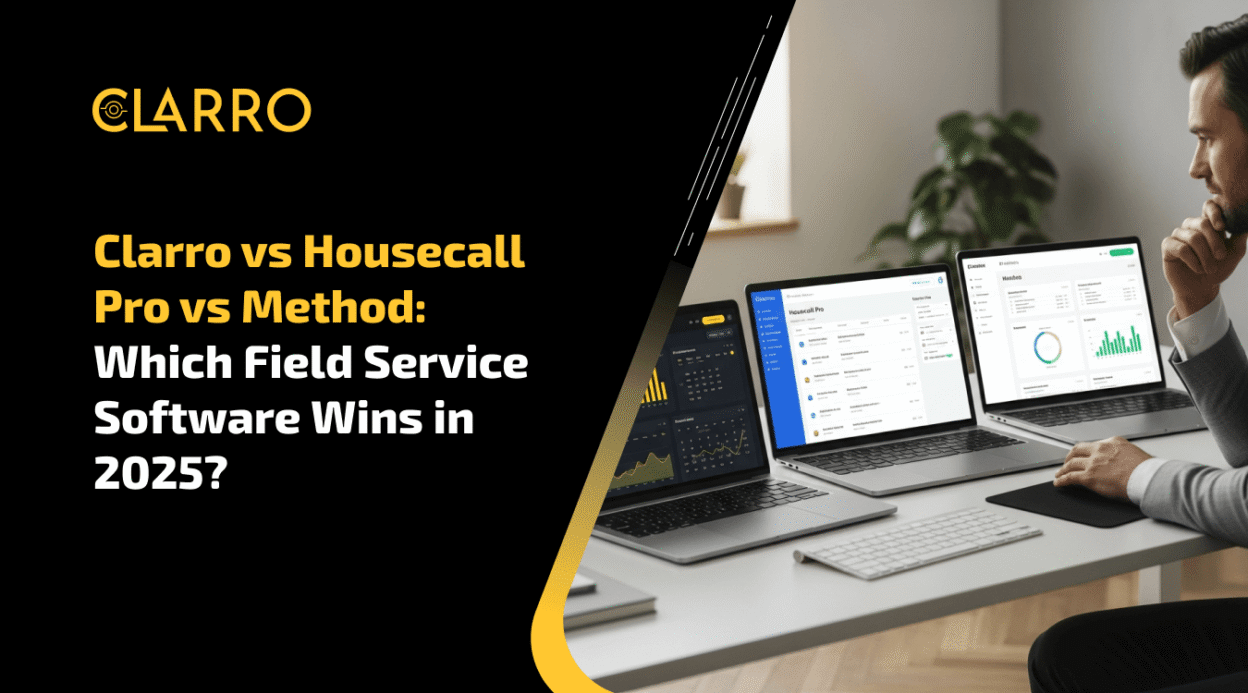
This comprehensive Housecall Pro vs Method Field Service review also includes Clarro, a rising contender in the Canadian market. Whether you run an HVAC company, plumbing service, electrical contracting business, or general field service operation, understanding which platform aligns with your specific needs will save you time, money, and operational headaches.
Understanding Field Service Management Software
Before diving into the comparison, it’s important to understand what field service management software actually does and why it’s become indispensable for modern service businesses.
Field service management platforms centralize all aspects of running a service business—from the moment a customer calls to the final payment processing. These systems typically include scheduling and dispatch, work order management, customer database management, invoicing and payment processing, mobile apps for technicians, and reporting and analytics capabilities.
The right platform eliminates double data entry, reduces scheduling conflicts, improves customer communication, and provides visibility into your business operations that spreadsheets simply cannot match. For businesses handling multiple jobs daily across different locations, these efficiencies translate directly to increased revenue and customer satisfaction.
Modern field service solutions also emphasize mobile-first experiences. Technicians need access to job details, customer history, and inventory information while on-site. They also need the ability to collect payments, capture signatures, and update job status in real-time. This mobile capability has become a baseline expectation rather than a premium feature.
Clarro: The Canadian-Built Solution for Service Professionals
Clarro has emerged as a compelling option specifically designed for Canadian service businesses, with particular strength in the HVAC, plumbing, and electrical sectors. Built with Canadian regulations, tax requirements, and business practices in mind, Clarro offers localized support that international platforms sometimes struggle to provide.
Key Features of Clarro
Clarro’s feature set focuses on practical, day-to-day operational needs. The platform includes intelligent scheduling and dispatch that considers technician location, skills, and availability. The customer relationship management system maintains detailed service histories and communication logs. Mobile technician apps provide offline capability, ensuring technicians can work even in areas with poor connectivity.
The invoicing and payment processing system integrates Canadian tax requirements seamlessly, including HST, GST, and PST configurations for different provinces. Clarro also offers real-time service tracking, allowing both managers and customers to see technician locations and estimated arrival times.
Inventory management features help track parts and equipment across vehicles and warehouses. The reporting dashboard provides insights into technician productivity, revenue trends, and customer satisfaction metrics. Integration capabilities allow Clarro to connect with popular accounting software like QuickBooks and Xero.
Pricing Structure
Clarro’s pricing is designed with small to medium-sized service businesses in mind. The platform typically offers tiered pricing based on the number of users, starting at approximately $79-$99 CAD per user per month. This includes core features like scheduling, dispatch, invoicing, and mobile access.
Higher-tier plans unlock advanced features such as marketing automation, advanced reporting, and API access. Unlike some competitors, Clarro doesn’t charge extra for customer communications or payment processing beyond standard credit card processing fees.
Ideal User Profile
Clarro works best for Canadian service businesses with 5-50 technicians, particularly those in HVAC, plumbing, electrical, or appliance repair sectors. Companies that value localized support, Canadian-specific tax handling, and straightforward pricing will find Clarro particularly appealing.
Housecall Pro: The Established Market Leader
Housecall Pro has built a strong reputation as one of the most popular field service management solutions in North America. With over 40,000 service professionals using the platform, Housecall Pro offers a mature ecosystem with extensive third-party integrations and a large user community.
Key Features of Housecall Pro
Housecall Pro’s feature set is comprehensive and battle-tested. The scheduling system includes drag-and-drop functionality, recurring job automation, and smart scheduling recommendations based on historical data. Customer communication tools include automated appointment reminders, review requests, and text message updates.
The mobile app is particularly polished, with intuitive navigation and robust offline capabilities. Technicians can access customer histories, create estimates, process payments, and capture photos all from their smartphones. The platform’s payment processing includes options for credit cards, ACH transfers, and financing through third-party partners.
Marketing features set Housecall Pro apart from many competitors. The platform includes automated email and SMS campaigns, online booking widgets for your website, and integration with Google Local Services Ads. These features help service businesses attract new customers while retaining existing ones.
According to Capterra’s user reviews, Housecall Pro maintains an average rating of 4.5 out of 5 stars, with users particularly praising its ease of use and customer support quality.
Pricing Structure
Housecall Pro operates on a per-user pricing model starting at approximately $49 USD per user per month for the Basic plan. The Essential plan runs around $129 USD per month and includes advanced features like marketing tools and automated workflows. The Max plan, priced at $299 USD per month, adds advanced reporting and priority support.
It’s important to note that payment processing fees are separate, typically 2.9% + $0.25 per credit card transaction. For Canadian users, currency conversion and potential international transaction fees should be factored into the total cost.
Ideal User Profile
Housecall Pro suits service businesses that prioritize growth and marketing automation. Companies with 3-30 technicians that want an all-in-one solution, including customer acquisition tools, will benefit most. The platform works well for businesses willing to invest in a higher-priced solution for comprehensive features.
Method: CRM – The QuickBooks Integration Specialist
Method: CRM takes a different approach by positioning itself as the perfect complement to QuickBooks. Rather than being a standalone field service platform, Method builds on top of QuickBooks, extending its capabilities with field service-specific features while maintaining perfect synchronization with your accounting data.
Key Features of Method: CRM
Method’s core strength lies in its deep QuickBooks integration. Every customer, invoice, payment, and transaction syncs bidirectionally in real-time with QuickBooks Online or QuickBooks Desktop. This eliminates the double-entry problem that plagues many businesses using separate field service and accounting systems.
The platform includes customizable workflows that can be tailored to specific business processes. Field service features include job scheduling, work order management, and mobile access for technicians. However, these features are generally less sophisticated than dedicated field service platforms like Clarro or Housecall Pro.
Method’s customization capabilities are extensive. Businesses can modify forms, create custom fields, and build automated workflows without coding knowledge. For companies with unique processes, this flexibility can be invaluable.
The mobile app provides basic functionality for technicians, including work order access, time tracking, and photo capture. However, users report that the mobile experience isn’t as refined as competitors focused exclusively on field service.
Pricing Structure
Method: CRM’s pricing starts at approximately $28 USD per user per month, making it one of the more affordable options. However, this base price assumes you’re already paying for QuickBooks, which adds $30-$200 USD per month, depending on your QuickBooks plan.
Custom features and advanced automation may require higher-tier plans or additional consulting fees. For businesses requiring extensive customization, total costs can escalate quickly.
Ideal User Profile
Method: CRM is ideal for businesses deeply committed to QuickBooks who want to extend their accounting system with field service capabilities. Companies with unique processes requiring customization, or those with existing QuickBooks workflows they don’t want to disrupt, will appreciate Method’s approach.
Head-to-Head Feature Comparison
To help visualize the differences between these three platforms, here’s a comprehensive comparison table:
| Feature Category | Clarro | Housecall Pro | Method: CRM |
| Starting Price | $79-$99 CAD/user/month | $49 USD/user/month | $28 USD/user/month |
| Mobile App Quality | Strong, offline capable | Excellent, industry-leading | Basic, functional |
| Scheduling & Dispatch | Advanced with GPS routing | Advanced with automation | Moderate, customizable |
| Customer Communication | Automated SMS/email | Comprehensive with marketing | Basic notifications |
| Payment Processing | Integrated, standard fees | Integrated, 2.9% + $0.25 | Through QuickBooks |
| Accounting Integration | QuickBooks, Xero | QuickBooks, Xero, others | Native QuickBooks sync |
| Inventory Management | Built-in tracking | Built into purchasing | Limited, through QuickBooks |
| Marketing Tools | Basic | Advanced (email, SMS, SEO) | Minimal |
| Customization Level | Moderate | Low to moderate | Very high |
| Canadian Tax Handling | Native support | Manual configuration | Through QuickBooks |
| Customer Support | Email, phone (Canadian hours) | 24/7 phone and chat | Email, phone (business hours) |
| Learning Curve | Moderate | Easy | Moderate to steep |
| Contract Terms | Monthly, no long-term lock-in | Monthly or annual | Monthly |
| Best For | Canadian HVAC/plumbing/electrical | Growth-focused service businesses | QuickBooks power users |
Detailed Capability Analysis
Scheduling and Dispatch Efficiency
When it comes to scheduling capabilities, Housecall Pro leads with its AI-powered scheduling suggestions that learn from your booking patterns. The platform can automatically suggest optimal time slots based on technician location, skills, and historical job duration data. Drag-and-drop calendar interfaces make rescheduling intuitive, even for office staff with minimal training.
Clarro offers robust scheduling with particular strength in route optimization for Canadian geography. The system accounts for travel time between jobs and can suggest efficient routing across multiple appointments. According to internal testing, service businesses using Clarro’s route optimization feature report an average of 15% more jobs completed per technician per day.
Method: CRM’s scheduling is more basic, functioning essentially as a shared calendar with QuickBooks customer data integration. While adequate for smaller operations, it lacks the intelligent automation and optimization features that dedicated field service platforms provide.
Mobile Experience and Technician Adoption
Technician adoption of mobile tools can make or break your software investment. Housecall Pro’s mobile app consistently receives praise for its intuitive interface and comprehensive functionality. Technicians can clock in and out, view customer histories, create detailed estimates with photos, and process payments without switching between multiple apps.
Clarro’s mobile app emphasizes reliability and offline functionality—critical for Canadian technicians working in rural areas or basement mechanical rooms where cellular coverage is spotty. The app caches job details, customer information, and even allows invoice creation offline, then syncs automatically when connectivity returns.
Method’s mobile experience is functional but dated compared to competitors. The app handles basic work order viewing and time tracking adequately, but lacks the polish and comprehensive feature set that modern technicians expect. Businesses choosing Method should be prepared for a steeper adoption curve among field staff.
Customer Communication and Experience
In today’s service economy, customer communication quality directly impacts review scores and repeat business rates. Housecall Pro excels here with automated appointment confirmations, technician on-the-way notifications with live GPS tracking, post-service review requests, and marketing email campaigns.
A 2023 study by Software Advice found that automated appointment reminders reduce no-show rates by up to 30%. Housecall Pro’s communication tools implement these best practices by default.
Clarro provides solid customer communication features, including automated reminders and real-time service tracking links that customers can view without downloading an app. The platform supports both SMS and email communication, with templates customizable for different service types.
Method: CRM’s customer communication is more limited, relying primarily on manual emails from QuickBooks or basic notifications. Businesses requiring sophisticated customer engagement tools will need to supplement Method with third-party marketing platforms.
Reporting and Business Intelligence
Understanding your business performance requires robust reporting capabilities. Housecall Pro offers pre-built reports covering revenue trends, technician productivity, customer acquisition costs, job profitability, and marketing ROI. The dashboard provides at-a-glance metrics that business owners can check from their smartphones.
Clarro’s reporting focuses on operational metrics most relevant to service businesses: average job duration, revenue per technician, customer satisfaction scores, and inventory turnover. Reports can be scheduled for automatic email delivery, keeping managers informed without requiring them to log into the platform daily.
Method: CRM leverages QuickBooks’ reporting capabilities while adding field service-specific metrics. The customization capability means businesses can create precisely the reports they need, but this requires more setup time and technical knowledge compared to out-of-the-box solutions.
Pricing Deep Dive and Total Cost of Ownership
Beyond the monthly subscription fees, understanding the total cost of ownership helps make an informed decision.
Clarro Total Cost Example
For a Canadian HVAC company with 10 technicians:
- Base subscription: $990 CAD/month (10 users × $99)
- Payment processing: ~2.6% per transaction (competitive rate)
- Training and setup: Typically included
- Annual total: ~$11,880 CAD plus transaction fees
Housecall Pro Total Cost Example
For the same 10-technician HVAC company:
- Essential plan: $129 USD/month (~$175 CAD)
- Payment processing: 2.9% + $0.25 per transaction
- Currency conversion considerations: ~$25-50 CAD/month in exchange rate fluctuations
- Annual total: ~$2,100 CAD plus higher transaction fees
Method: CRM Total Cost Example
For the same company:
- Method subscription: $280 USD/month (~$380 CAD for 10 users)
- QuickBooks Online Plus: $90 USD/month (~$122 CAD)
- Payment processing: Through QuickBooks or a third-party
- Customization costs: Variable, potentially $500-2,000 for initial setup
- Annual total: ~$6,024 CAD plus setup and transaction fees
These examples illustrate that while Method appears cheapest initially, the required QuickBooks subscription and potential customization costs narrow the gap significantly. Housecall Pro’s USD pricing and higher transaction fees make it competitive but not necessarily cheaper for Canadian businesses.
Integration Ecosystems and Scalability
Third-Party Connections
Housecall Pro boasts the largest integration ecosystem, connecting with over 50 third-party platforms, including QuickBooks, Xero, Mailchimp, ServiceTitan, Google Local Services, and various marketing tools. This extensive ecosystem makes Housecall Pro particularly suitable for businesses using multiple specialized tools.
Clarro focuses on essential integrations—primarily accounting platforms like QuickBooks and Xero, plus payment processors and communication tools. While less extensive than Housecall Pro, Clarro’s integrations cover the core needs of most service businesses without overwhelming users with options.
Method: CRM’s integration strategy centers entirely on QuickBooks, making it the deepest integration available for that platform. If your business workflow revolves around QuickBooks, Method’s approach ensures zero data synchronization issues. However, connecting to other tools often requires additional middleware or manual data handling.
Scalability Considerations
As your business grows from 5 to 50+ technicians, software scalability becomes critical. Housecall Pro has demonstrated its ability to support large service companies, with some users operating hundreds of technicians across multiple locations. The platform’s reporting and management tools scale well, though costs increase proportionally with user count.
Clarro is designed for businesses up to approximately 50 technicians. Beyond that scale, companies might find limitations in advanced territory management or enterprise-grade reporting. However, for the vast majority of service businesses, Clarro’s scalability ceiling is more than adequate.
Method: CRM’s scalability depends largely on QuickBooks’ limitations. QuickBooks Online supports up to 25 users, which can constrain growing businesses. QuickBooks Desktop has higher user limits but introduces complexity in multi-location deployments.
User Experience and Support Quality
Learning Curve and Onboarding
Housecall Pro invests heavily in user onboarding, offering live training sessions, comprehensive video tutorials, and a detailed knowledge base. New users typically become proficient within 1-2 weeks. The intuitive interface means minimal ongoing training when adding new staff members.
Clarro provides personalized onboarding assistance, with dedicated setup support for Canadian businesses. The platform’s interface is straightforward, though some users report that advanced features require consulting the help documentation. Training resources include video tutorials and responsive email support.
Method: CRM’s learning curve is steeper due to its customization philosophy. While this flexibility is powerful, it means new users face more complexity during setup. Method offers training resources and consulting services, but businesses should budget time for initial configuration and staff training.
Customer Support Experiences
According to user reviews across multiple platforms, Housecall Pro’s 24/7 support receives consistently positive feedback. Response times average under 10 minutes for phone support, with knowledgeable representatives who can typically resolve issues on the first contact.
Clarro’s support operates during Canadian business hours (8 AM – 6 PM EST), with email and phone options available. Users report friendly, knowledgeable support staff who understand the specific challenges facing Canadian service businesses. Response times during business hours typically range from 30 minutes to 2 hours.
Method: CRM’s support quality receives mixed reviews. While knowledgeable about QuickBooks integration, support representatives sometimes struggle with complex customization questions. Phone support is available during business hours, with email support for non-urgent issues.
Industry-Specific Considerations
HVAC Businesses
HVAC companies have unique needs, including maintenance contract management, equipment tracking, and seasonal demand fluctuations. If you want to learn more about HVAC field service software, specialized features make a significant difference.
Housecall Pro and Clarro both offer maintenance agreement features that automatically schedule annual or quarterly service visits. Clarro’s inventory management particularly suits HVAC businesses tracking high-value equipment like furnaces and air conditioning units across multiple job sites.
Method: CRM can be customized for HVAC-specific workflows, but requires more setup effort compared to platforms with built-in HVAC features. The QuickBooks integration excels at tracking equipment costs and job profitability, which HVAC companies particularly value.
Plumbing Services
Plumbing businesses often handle emergency calls, requiring efficient dispatch and clear communication about arrival times. Housecall Pro’s customer-facing GPS tracking and automated communication excel in this scenario, reducing “where’s my plumber?” calls to your office.
Clarro’s mobile app with offline capability is particularly valuable for plumbers working in basements or underground locations. The ability to create invoices and process payments even without a cellular connection prevents administrative delays.
Electrical Contractors
Electrical contractors often require detailed job costing, permit tracking, and safety compliance documentation. All three platforms handle job costing, but approach compliance differently.
Housecall Pro allows custom checklists and photo documentation that can support safety compliance workflows. Clarro includes similar capabilities with templates specifically designed for Canadian electrical codes. Method’s customization allows businesses to build precisely the compliance workflows they need, assuming they have the technical expertise to implement them.
Comparison Table: Pros and Cons
| Platform | Strengths | Weaknesses |
| Clarro | • Built for Canadian businesses• Excellent offline mobile capability• Transparent pricing in CAD• Strong HVAC/plumbing features• Responsive Canadian support | • Smaller integration ecosystem• Less sophisticated marketing tools• Newer platform with a smaller user community• Limited scalability beyond 50 users |
| Housecall Pro | • Most comprehensive feature set• Excellent marketing automation• Polished mobile experience• 24/7 customer support• Large user community | • Higher cost for Canadian businesses (USD pricing)• Payment processing fees add up• Some features require higher-tier plans• Can be overwhelming for very small businesses |
| Method: CRM | • Lowest base subscription cost• Perfect QuickBooks synchronization• Highly customizable• No double data entry with accounting | • Requires QuickBooks subscription• Dated mobile interface• Steep learning curve• Limited built-in field service features• Customization requires technical knowledge |
Making Your Decision: Which Platform Is Right for You?
Choosing between these three platforms depends on your specific business context, priorities, and constraints.
Choose Clarro If:
You operate primarily in Canada and want a platform that understands Canadian tax requirements without manual configuration. Your business has 5-50 technicians in HVAC, plumbing, electrical, or similar trades. You value straightforward pricing in Canadian dollars without currency conversion surprises. Offline mobile capability is important because your technicians work in areas with unreliable cellular coverage. You prefer supporting Canadian companies and accessing support during Canadian business hours.
Choose Housecall Pro If:
You’re focused on business growth and want integrated marketing tools to attract new customers. Your team values a polished, intuitive interface that minimizes training time. You need 24/7 support because issues outside business hours cost you money. You operate in multiple locations or have plans to expand significantly. You’re willing to pay premium pricing for the most comprehensive feature set. Your business is established enough that currency conversion and slightly higher fees are acceptable costs.
Choose Method: CRM If:
Your business is already deeply integrated with QuickBooks, and you’re satisfied with that ecosystem. You have unique processes requiring custom workflows, and you have the technical capability to configure them. Perfect accounting synchronization is your top priority, even above field service-specific features. You want to minimize subscription costs and are willing to accept a more basic mobile experience. You have fewer than 15 technicians and relatively straightforward scheduling needs.
Alternative Consideration: Building a Service Marketplace
While choosing the right field service management software is crucial for managing your existing business operations, some service companies are exploring additional revenue streams through service marketplace platforms. An online service marketplace guide can help you understand whether expanding beyond direct service delivery makes sense for your business.
Service marketplaces allow businesses to connect with customers beyond their traditional geographic area and can provide lead generation that complements your existing marketing efforts. However, this strategy works best once you’ve optimized your core operations with solid field service management software.
Conclusion
The field service software landscape offers robust solutions for service businesses of all sizes. Clarro, Housecall Pro, and Method: CRM each bring distinct strengths to the table, and the “best” choice depends entirely on your business priorities.
Clarro provides an excellent middle-ground option specifically tailored for Canadian service businesses, with strong core features, transparent pricing, and localized support. Housecall Pro delivers the most comprehensive feature set, including advanced marketing automation, making it ideal for growth-focused businesses willing to invest in premium capabilities. Method: CRM offers deep QuickBooks integration and customization for businesses that prioritize accounting synchronization above field service-specific features.
According to Statista research, businesses implementing comprehensive field service management software report average efficiency improvements of 25-30% in the first year. Regardless of which platform you choose, the productivity gains, improved customer satisfaction, and reduced administrative burden will likely justify your investment many times over.

FAQs:
1. What is the difference between Clarro, Housecall Pro, and Method: CRM?
Clarro is designed for Canadian businesses with offline mobile access, local tax support, and HVAC/plumbing/electrical features. Housecall Pro offers advanced features, marketing automation, and 24/7 support. Method: CRM integrates deeply with QuickBooks for customizable workflows, but has simpler field service tools.
2. Which software is best for small businesses on a budget?
Method: CRM has the lowest base cost if you already use QuickBooks. Clarro offers mid-range pricing in CAD for Canadian SMBs. Housecall Pro is higher-priced, suitable for businesses prioritizing advanced tools and growth.
3. Can these platforms improve technician efficiency?
Yes. Clarro and Housecall Pro provide smart scheduling, GPS routing, and mobile apps for real-time updates. Method: CRM is more basic but keeps QuickBooks data in sync.
4. Do they support Canadian taxes and invoicing?
Clarro natively handles HST, GST, and PST. Housecall Pro requires manual setup for Canadian taxes. Method: CRM relies on QuickBooks for tax management.
5. How do I choose the right software?
– Clarro: Best for Canadian SMBs needing offline access and easy tax handling.
– Housecall Pro: Ideal for growth-focused businesses wanting marketing tools and polished mobile apps.
– Method: Suited for QuickBooks users needing customisation and cost efficiency.