

Most service businesses don’t start with complicated systems. They start with a truck, a phone, and a lot of hustle. In the early days, spreadsheets, calls, and a whiteboard were enough to get by.
But growth changes everything.
As your service business expands to multiple technicians, higher job volumes, and tighter schedules, small cracks turn into daily problems, missed appointments, constant rescheduling, delayed invoices, and frustrated customers. What once worked now slows you down.
Scaling isn’t just about winning more jobs. It’s about maintaining control, consistency, and profitability while your operations grow. This is where manual tools and disconnected software fall short.
That’s why growing service teams turn to Field Service Management Software. A modern solution brings scheduling, dispatch, technicians, customer communication, and billing into one streamlined system, designed to scale without complexity.
In this guide, we’ll break down what field service management software really is, why spreadsheets fail during growth, and what to look for in a platform that helps service businesses scale smoothly, without adding operational chaos.
What Is Field Service Management Software?
Field Service Management Software is a centralized digital platform designed to help service businesses manage and coordinate their day-to-day field operations. Unlike generic business tools, FSM software is built specifically for companies with technicians working on job sites, customer locations, or in the field, not behind desks.
At its core, field service management software connects everything required to run service operations smoothly, from the first customer call to job completion and payment.
What Does Field Service Management Software Actually Do?
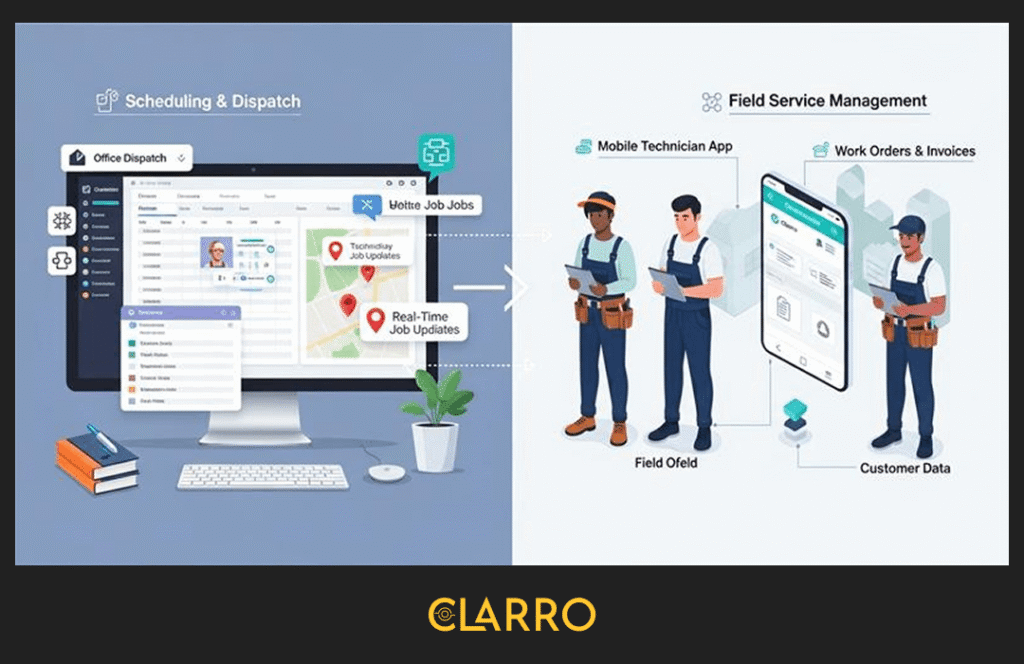
A modern FSM platform brings all essential service workflows into one system, including:
- Scheduling and dispatch to assign the right technician to the right job at the right time, powered by appointment booking systems that enable customers to schedule services directly
- Mobile technician management, allowing field teams to access jobs, update status, and complete work from anywhere
- Work orders, estimates, and invoicing, reducing paperwork and speeding up billing
- Customer data and service history, so every job is informed by past visits, notes, and assets
Because everything lives in one place, service businesses gain real-time visibility, fewer errors, and more consistent service delivery as they scale.
Who Uses Field Service Management Software?
Field service management software is used by a wide range of service-based industries that rely on mobile teams, including:
- HVAC companies
- Plumbing and electrical contractors
- Residential and commercial cleaning services
- Landscaping and lawn care businesses
- General contractors
- Maintenance and repair service providers
Whether you manage a small team or a growing operation with multiple crews, FSM software helps standardize processes and maintain control as job volume increases.
Field Service Management Software vs Other Business Tools
Many service businesses try to scale using tools that weren’t designed for field operations, but they quickly hit limitations.
FSM vs Accounting Software (QuickBooks, Xero)
Accounting software is essential, but it focuses on finances after the job is completed. Field service management software runs the job itself—handling scheduling, dispatch, technician workflows, and customer communication before the invoice is ever created.
FSM vs Project Management Tools (Trello, Asana)
Project management tools are built for office teams and long-term tasks. FSM software is built for vans, GPS locations, time-sensitive jobs, and technicians working on-site in real-world conditions.
The Field Service Management Ecosystem
A complete FSM solution includes two connected parts:
- An office dashboard for dispatchers, admins, and managers to schedule jobs, track progress, and manage customers
- A mobile field service app that technicians use to receive assignments, update job status, capture photos, and complete work on-site
Together, these components create a single, reliable system that supports efficient service operations and scalable growth.
Why Spreadsheets Hold Back Growing Service Businesses
In the early days of a service business, spreadsheets feel comfortable and familiar. A shared Excel file or Google Sheet can hold your schedules, customer details, and job notes. It feels “good enough.” But as your business grows, spreadsheets quickly become a source of chaos, inefficiency, and missed opportunities.
Here’s why relying on spreadsheets holds you back when you’re trying to scale.
The Information Silo Problem
Spreadsheets may be easy to create, but the data in them is not easy to share. When schedules, customer records, and job updates live in a spreadsheet on one computer or in someone’s inbox, your technicians in the field can’t access them. That leads to constant phone calls, text messages, and confusion.
For service businesses, real-time information is everything. Without it, teams experience delays, miscommunication, and overlapping assignments, turning what should be simple jobs into operational headaches.
Double-Entry Errors Kill Efficiency
When information must be typed multiple times into different systems, mistakes are inevitable. A quote scribbled on paper is then entered into a spreadsheet, and later re-typed into accounting software like QuickBooks or Xero. This takes time, and time is money.
For many service teams, this adds up to 8–10 hours of unnecessary admin work each week. Worse, small data entry errors can lead to incorrect invoices, unhappy customers, and lost revenue.
The Cash Flow Lag
Paper invoices have a way of disappearing—left in vans, misplaced on desks, or forgotten in piles of paperwork. But digital invoices get delivered instantly and can be paid immediately via secure online links.
By moving away from paper and spreadsheets, companies dramatically speed up their billing cycle and improve cash flow—one of the biggest pain points for growing service businesses.
Customer Expectations Have Shifted
Today’s customers expect updates like “Technician is on the way”, “Arriving in 15 minutes”, and instant digital receipts. Services like Amazon and Uber have set the bar high.
Spreadsheets simply can’t provide the visibility and professionalism customers now expect.
To scale with confidence and to deliver a modern customer experience, you need a system purpose-built for field operations. That’s where Field Service Management Software comes in: transforming chaos into clarity and helping you grow without the spreadsheet headaches.

How Field Service Management Software Enables Scalable Growth
Scaling a service business successfully requires more than hiring technicians; it requires systems that remove friction as volume increases. Field Service Management Software (FSM) gives growing service businesses the structure, visibility, and control needed to scale without operational chaos.
1. Standardised Processes Across Every Technician
FSM software creates a single, repeatable workflow for scheduling, job execution, estimates, and invoicing. Instead of each technician “doing things their own way,” everyone follows the same process. This reduces mistakes, shortens training time for new hires, and ensures consistent service delivery as your team grows.
2. Real-Time Visibility Into Daily Operations
With FSM software, owners and dispatchers can see job statuses, technician locations, and schedule changes in real time. This eliminates constant check-in calls and allows faster responses to delays, cancellations, or urgent service requests—critical when managing multiple crews.
3. Faster Job Completion Without More Staff
Automation plays a key role in scalable growth. Features like smart scheduling, route optimisation, and mobile work orders reduce idle time between jobs. Technicians spend less time on admin work and more time completing billable jobs, increasing revenue per technician without increasing payroll.
4. Consistent Service Quality at Any Scale
FSM platforms centralise customer histories, service notes, photos, and previous job data. This ensures every technician arrives informed, delivering the same level of service whether it’s the first job of the day or the hundredth job of the week.
5. Data-Driven Decisions Instead of Guesswork
FSM software tracks key performance metrics such as job completion rates, technician productivity, and customer trends. These insights help business owners make smarter decisions around pricing, staffing, and expansion—turning growth into a controlled, measurable process.
Want to see how small service businesses save time, reduce errors, and scale efficiently with the right software? Check out our detailed guide:
Explore More: Service Management Software for Small Businesses
This resource dives deeper into practical strategies and features that help service businesses streamline operations, boost productivity, and grow profitably.
7 Non-Negotiable Features to Look for in Field Service Management Software
Not all field service management software is built for growth. Many tools work fine when you’re running a small operation—but once job volume increases, technicians multiply, and customer expectations rise, weak software quickly becomes a bottleneck.
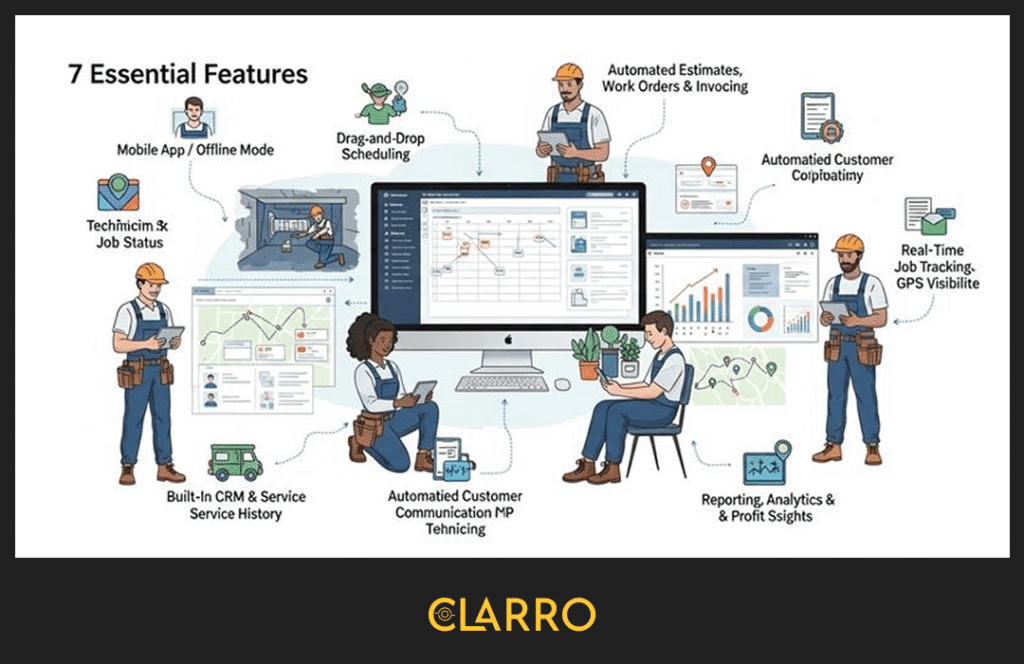
If you’re serious about scaling your service business, these seven features are non-negotiable. Missing even one can slow growth, hurt customer experience, or quietly drain profits.
1. Technician-First Mobile Field Service App (Offline-Ready)
Your FSM software will only succeed if your technicians actually use it. That’s why a technician-first mobile app is the foundation of scalable field service operations.
Technicians work in basements, mechanical rooms, construction sites, rural areas, and parking garages, places where internet connectivity is unreliable or nonexistent. An FSM app that depends on constant connectivity will fail in the real world.
A scalable FSM mobile app must allow technicians to:
- View assigned jobs and schedules
- Access customer details and service history
- Add notes, photos, and checklists
- Capture customer signatures
- Update job status in real time, or sync later when offline
Offline mode isn’t a “nice-to-have.” It’s essential. When technicians can work uninterrupted and sync data later, jobs move faster, and information stays accurate.
Just as important: usability. If the app is slow, cluttered, or confusing, technicians will avoid it, leading to incomplete data and broken workflows. A clean, intuitive mobile experience ensures adoption, which ultimately determines whether your FSM software delivers ROI or becomes shelfware.
2. Visual Drag-and-Drop Scheduling & Dispatch
Scheduling complexity doesn’t increase linearly as you grow; it increases exponentially.
With two technicians, scheduling is manageable. With ten, it becomes a daily puzzle. With twenty or more, it can quickly turn into chaos without the right tools.
That’s why visual drag-and-drop scheduling is critical for scaling service businesses. Modern real-time dispatch and coordination capabilities give dispatchers the power to manage complex schedules efficiently.
A modern FSM platform should provide:
- A real-time dispatch board
- Technician availability at a glance
- Location-based job assignment
- Easy rescheduling when jobs run long or emergencies arise
Dispatchers should be able to move jobs with a click—not cancel, reassign, and call technicians manually.
This level of visibility also improves route density. When dispatchers can see where technicians are in real time, they can assign nearby jobs, reducing drive time and fuel costs.
The impact is massive:
One additional completed job per technician per day can translate into thousands of dollars in extra monthly revenue, without hiring more staff.
3. Automated Estimates, Work Orders & Invoicing
Speed wins deals in service businesses. Customers expect fast quotes, clear pricing, and professional invoices, and they expect them immediately.
FSM software should automate the entire workflow:
Estimate → Job → Invoice, without re-entering data.
With the right system in place, service teams can:
- Create estimates on-site or from the office
- Convert approved estimates into jobs instantly
- Generate invoices automatically when work is completed using Invoice Management Software
- Send invoices digitally before the technician leaves the site
This automation reduces administrative workload, minimizes errors, and eliminates delays caused by paperwork.
Faster invoicing directly improves cash flow. Digital invoices get paid days, or even weeks, faster than paper-based billing. Over time, this has a measurable impact on business stability and growth.
Equally important, automation reduces dependency on office staff. As job volume increases, your software should absorb the workload, not force you to hire more admin just to keep up.
4. Built-In CRM & Complete Service History
When service businesses scale without a centralized customer system, knowledge becomes fragmented. One technician knows the site. Another has the photos. The office has the invoice. No one has the full picture.
A scalable FSM platform must include a built-in CRM with complete service history. Empowering customers with a customer self-service portal enhances their experience by allowing them to view past invoices, schedule appointments, and access service records independently.
Each customer profile should store:
- Contact details and service locations
- Past jobs and invoices
- Photos and technician notes
- Installed equipment or assets
- Service preferences and recurring issues
This centralized data ensures consistent service regardless of which technician is dispatched.
It also eliminates one of the most common professionalism killers in field service:
“Let me call the office and check.”
When technicians arrive informed, customers feel confident—and trust drives repeat business and referrals.
5. Automated Customer Communication (SMS & Email)
As you scale, inbound calls can overwhelm your office. Most of these calls aren’t sales—they’re status checks.
“Are you on the way?”
“When will the technician arrive?”
“Is my job completed?”
FSM software with automated customer communication solves this instantly.
Look for systems that automatically send:
- Appointment confirmations
- Reminder notifications
- “Technician on the way” alerts
- Job completion messages
- Invoice notifications
These messages set expectations and reduce uncertainty.
Many service businesses see up to a 40% reduction in inbound calls after implementing automated notifications. That frees up office staff to focus on scheduling, sales, and customer relationships, rather than answering repetitive questions.
For customers, this level of transparency feels modern and professional. In a world shaped by Amazon and Uber, proactive updates are no longer optional; they’re expected.
6. Real-Time Job Tracking & GPS Visibility
As teams grow, accountability becomes harder, but more important.
Real-time job tracking gives business owners and managers visibility without micromanagement.
Effective FSM software provides:
- Arrival and departure timestamps
- Job status tracking
- Location visibility for active jobs
- Time-on-site accuracy for billing
This data supports accurate time-and-materials billing, reduces disputes, and protects your business if a customer questions charges or service duration.
GPS visibility should be practical, not invasive. The goal isn’t to spy on technicians, but to:
- Improve dispatch decisions
- Validate job timelines
- Provide accurate ETAs to customers
- Resolve disputes with factual data
When everyone works from the same source of truth, trust increases across the entire operation.
7. Reporting, Analytics & Profitability Insights
Revenue growth doesn’t always equal profit growth. Many service businesses scale fast—only to discover they’re working harder for thinner margins.
This is where reporting and analytics become critical.
A growth-ready FSM platform should answer questions like:
- Which services are most profitable?
- Which technicians are most efficient?
- Which customers generate the highest lifetime value?
- Where are jobs running over time or budget?
With these insights, business owners can make informed decisions about:
- What services to scale
- Where to adjust pricing
- When to hire
- Which work to stop offering altogether
Instead of relying on gut feeling, data turns scaling into a strategic process, one based on clarity, not guesswork.
Why These Features Matter Before You Scale
Field service management software isn’t just a tool, it’s the operating system of your service business. Choosing the right platform before scaling prevents costly rework, frustrated teams, and stalled growth.
The right FSM software supports technicians, streamlines operations, improves customer experience, and gives leadership the visibility needed to grow with confidence.
The Hidden Success Factors Most Buyers Ignore
When comparing field service management software, most buyers focus on feature lists, pricing tables, and brand names. But in real-world service operations, long-term success is often determined by factors that rarely appear on comparison pages.
These hidden success factors can make the difference between software that accelerates growth and software that quietly slows it down.
1. Ease of Use Matters More Than Feature Overload
More features don’t always mean better software. In fact, overly complex FSM platforms often fail because technicians and office staff struggle to use them consistently.
If your team needs weeks of training just to schedule jobs or close work orders, adoption will suffer. Missed updates, incomplete data, and workarounds quickly follow.
Scalable field service software should feel intuitive from day one. New technicians should be able to:
- Understand the mobile app within 30 minutes
- Complete jobs without constant guidance
- Update statuses, notes, and invoices effortlessly
Ease of use directly impacts data accuracy, technician adoption, and operational efficiency. Software that people actually enjoy using always outperforms tools that look powerful but feel heavy.
2. Fast Implementation & Simple Onboarding
Time is expensive when you’re scaling. Long implementation cycles delay ROI and disrupt daily operations.
Many service businesses get stuck with FSM platforms that require:
- Weeks of setup and configuration
- Costly onboarding fees
- Extensive customization before they can go live
Instead, look for field service management software designed to get you operational quickly. The best platforms allow businesses to go live in days, not months. For businesses with unique operational requirements, custom FSM development can create tailored solutions that align perfectly with your specific workflows.
Fast onboarding means your team starts benefiting from automation immediately, without pausing growth or overwhelming staff with complex change management.
3. Reliable Human Support When It Matters Most
During periods of growth, system downtime isn’t just inconvenient; it directly impacts revenue and customer trust.
When schedules break, invoices fail, or mobile apps don’t sync, you need help fast.
Responsive, human support is often more valuable than advanced features. Real experts who understand service workflows can resolve issues quickly, far better than slow ticket queues or generic chatbots.
When evaluating FSM software, support quality isn’t optional. It’s a growth safeguard.
How Field Service Management Software Drives Real Business Growth
Scaling isn’t just about handling more jobs; it’s about doing more with less friction. After investing in easy-to-use, fast-to-deploy software with strong support (the hidden success factors), the real question becomes:
What business outcomes can you achieve?
- Standardized Operations Across Teams
FSM software ensures every technician follows consistent processes, reducing errors, miscommunication, and rework. As your team grows, this consistency protects quality and customer satisfaction. Different industries have unique needs, which is why industry-specific FSM solutions are designed to address the particular challenges of sectors like landscaping, HVAC, plumbing, and more. - Faster Job Completion and Increased Productivity
Automated scheduling, route optimization, and mobile job updates let technicians complete more work without adding staff. One extra job per technician per day adds significant revenue over a month or year. Advanced AI-powered field service management takes this further by using predictive analytics and intelligent automation to optimize scheduling, predict maintenance needs, and improve decision-making. - Real-Time Visibility for Management
Dispatchers and owners get a live view of schedules, job statuses, and technician locations. This transparency allows quick problem-solving, better allocation of resources, and improved customer experience. - Data-Driven Decisions
Reporting and analytics transform operational data into actionable insights. You can identify your most profitable services, track technician performance, and make smarter decisions about scaling your business. - Enhanced Customer Experience
Automated notifications, digital invoices, and access to service history make your business look professional and reliable. Customers notice when operations run smoothly, even as your team grows. Modern on-demand service platforms enable instant booking and real-time service delivery, meeting today’s consumer expectations for speed and convenience.
In short, FSM software doesn’t just streamline operations; it powers scalable, profitable growth. When implemented with usability and support in mind, it becomes the backbone of a service business that can expand without chaos or operational headaches.

Conclusion: Scale Your Service Business with FSM Software
Scaling a service business brings growth, but also challenges like missed appointments, frustrated technicians, and inefficient workflows. Spreadsheets and manual tools simply can’t keep up.
Field Service Management Software (FSM) centralizes scheduling, dispatch, invoicing, and customer management, allowing your team to work smarter, not harder. Key benefits include:
- Technician-First Mobile App: Works even offline for field teams.
- Automation & Streamlined Processes: Faster estimates, invoicing, and scheduling.
- Real-Time Visibility & Analytics: Data-driven decisions for profitable growth.
- Ease of Use & Reliable Support: Quick adoption, minimal downtime.
- Consistent Customer Experience: Professional service, every time.
With the right FSM software, your business can increase productivity, reduce admin work, improve customer satisfaction, and grow revenue efficiently. Clarro’s Field Service Management Software provides the tools and support you need to scale confidently, start today and take your operations to the next level.
Continue Your Journey: Compare Top Field Service Management Solutions
Explore More: Clarro vs Jobber vs FieldEdge.
Looking to scale your service business with the right software? Not all FSM solutions are created equal. In this guide, we break down Clarro, Jobber, and FieldEdge, comparing features, usability, pricing, and support to help you find the best fit for your growing team.
Discover which platform can streamline your scheduling, automate customer communication, and boost technician productivity—so you can focus on growing your business without operational headaches.
FAQs:
Q1: Is my business too small for FSM software?
No. Even small service businesses benefit from implementing FSM software early. Starting with 2–5 technicians helps you build efficient workflows, reduce errors, and set the foundation for smooth growth. Early adoption prevents chaos as your team scales.
Q2: Does FSM software integrate with my accounting tools?
Yes. Most modern FSM platforms integrate seamlessly with popular accounting software like QuickBooks, Xero, and Sage. This ensures estimates, invoices, and payments flow automatically, eliminating double entry and speeding up cash flow.
Q3: How much money will I save by using FSM software?
Savings come from multiple sources: reduced admin hours, fewer missed jobs, faster invoicing, and optimized scheduling. On average, service businesses save 10–15 hours per week in admin time and can complete 1–2 extra jobs per technician per day, directly boosting revenue.
Q4: Can FSM software improve customer satisfaction?
Absolutely. Automated notifications, technician tracking, and access to service history create a professional, transparent experience for customers. Faster responses, accurate service, and reliable communication increase repeat business and positive reviews.